Residential construction management software connecting leads, proposals, projects, schedules, financial controls, and client communication.
Media and directory resources
One accurate source for the ProBuilder OS story.
Approved product facts, current availability, logos, and privacy-safe demo screens for editors, associations, directories, partners, and reviewers.
Product facts
Use these details consistently.
Unknown legal-entity, founder, and location details are intentionally omitted until they are verified for public use.
- Product
- ProBuilder OS
- Category
- Residential construction management software
- Best fit
- Residential general contractors, custom home builders, remodelers, ADU contractors, and home-addition contractors
- Canonical website
- https://probuilderos.com
- Product contact
- info@terrabuildr.com
- Trial
- 14-day Pro trial with no payment card required to create a workspace
Approved boilerplate
Short, medium, and complete descriptions.
ProBuilder OS helps residential builders and remodelers keep the complete lead-to-project record connected. Teams can manage lead ownership, follow-ups, total-price proposals, secure client proposal acceptance, signed receipts, projects, tasks, basic schedules, daily logs, files, change orders, invoices, and protected client communication in one company workspace. Pro and Business add a project cost ledger, category budgets, project and company earnings reports, and CSV cost export. A controlled rollout adds optional AI proposal scope drafts and a selected-plan-region count pilot, both requiring contractor review. New company owners can begin a 14-day Pro trial without entering a payment card.
ProBuilder OS is residential construction management software for custom home builders, remodelers, residential general contractors, and other project-based residential teams. It keeps the operating record created during the sale connected through qualification, total-price proposals, secure exact-version client acceptance, signed receipts, project handoff, tasks, basic schedules, files, daily logs, change orders, invoices, financial visibility, and client communication. Pro and Business users can budget and record labor, materials, subcontractor, and miscellaneous costs; distinguish commitments from actuals; record paid amounts; review project and company forecast earnings; and export a project cost ledger to CSV. A controlled rollout offers eligible workspaces optional AI proposal scope drafts and selected door, window, and plumbing-fixture count suggestions from contractor-confirmed plan regions; both require contractor review. The count pilot does not provide full takeoff, plan measurement, or pricing. Administrators retain company-wide visibility, while salespeople and project owners work the leads and jobs assigned to them. Homeowners receive a separate, protected client experience for the messages, files, updates, dates, invoices, proposals, receipts, and decisions deliberately shared with them. Purpose-built Pro and Client mobile experiences are connected to the authenticated platform; the Pro app includes a role-scoped project financial overview for owners, admins, and assigned project managers, and the Client app supports secure proposal review, acceptance, and receipt access. Public Apple App Store and Google Play distribution remains in preparation.
Availability boundary
What works now—and what remains roadmap.
- Lead records, pipeline stages, ownership, follow-ups, and sales history
- Detailed total-price proposals, secure exact-version client acceptance, and signed receipts
- Optional AI-assisted proposal scope drafts for eligible Pro and Business workspaces in a controlled rollout, with required contractor review
- Limited-rollout, review-only AI-assisted door, window, and plumbing-fixture count suggestions from contractor-confirmed plan regions
- Project records, tasks, responsibilities, files, basic schedules, and daily logs
- Change-order records, invoices, payments, and basic project financial totals
- Pro and Business category budgets; committed, actual, and paid cost records; project and company earnings reports; and project-ledger CSV export
- Admin-managed company profile, logo, license details, insurance summary, and proposal footer branding
- Role-aware admin, sales, project-owner, and protected client experiences
- Connected Pro and Client mobile experiences, including role-scoped Pro financial overviews and Client proposal acceptance/receipt access, with store distribution in preparation
- Complete automated takeoff, linear and area plan measurement, labor and material cost databases
- Construction accounting, payroll, tax, accounts payable, bank reconciliation, payment processing, purchasing, and QuickBooks or other third-party integrations
- Critical-path, resource-loaded, or predictive scheduling
- Third-party integrations, public API access, and webhooks
- Additional AI assistance beyond proposal scope drafting and the selected-count pilot, advanced automation, offline operation, GPS, and time clocks
- BIM, drawings, RFI, submittal, inspection, and safety-management suites
The Pro and Client mobile experiences are built and connected to the authenticated platform. The Pro experience includes role-scoped project financial overviews, while the Client experience includes secure proposal acceptance and signed-receipt access. Public Apple App Store and Google Play distribution remains in preparation.
Brand downloads
Use the product name and mark without alteration.


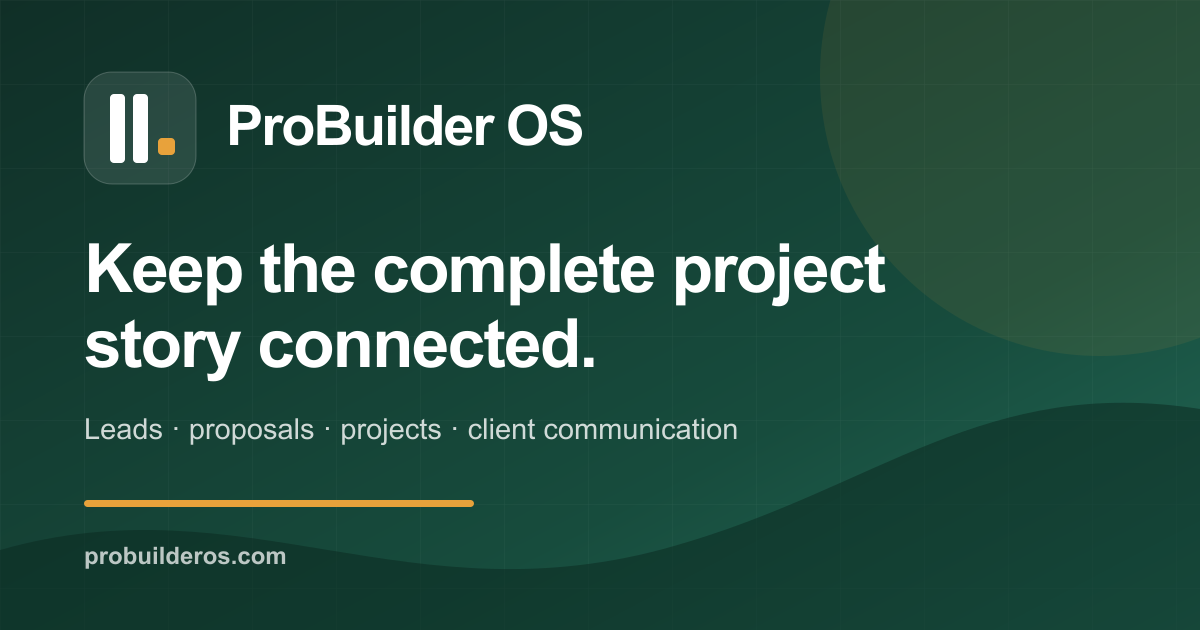
Product markScalable SVG · transparent canvasDark wordmarkScalable SVG · for light backgroundsLight wordmarkScalable SVG · for dark backgroundsSquare product icon512 × 512 PNGHigh-resolution product mark1024 × 1024 transparent-corner PNGSocial share card1200 × 630 PNGLinkedIn company cover4200 × 700 PNGSoftware-directory banner1260 × 240 PNGApproved brand factsPlain-text profile and usage reference





Product screenshots
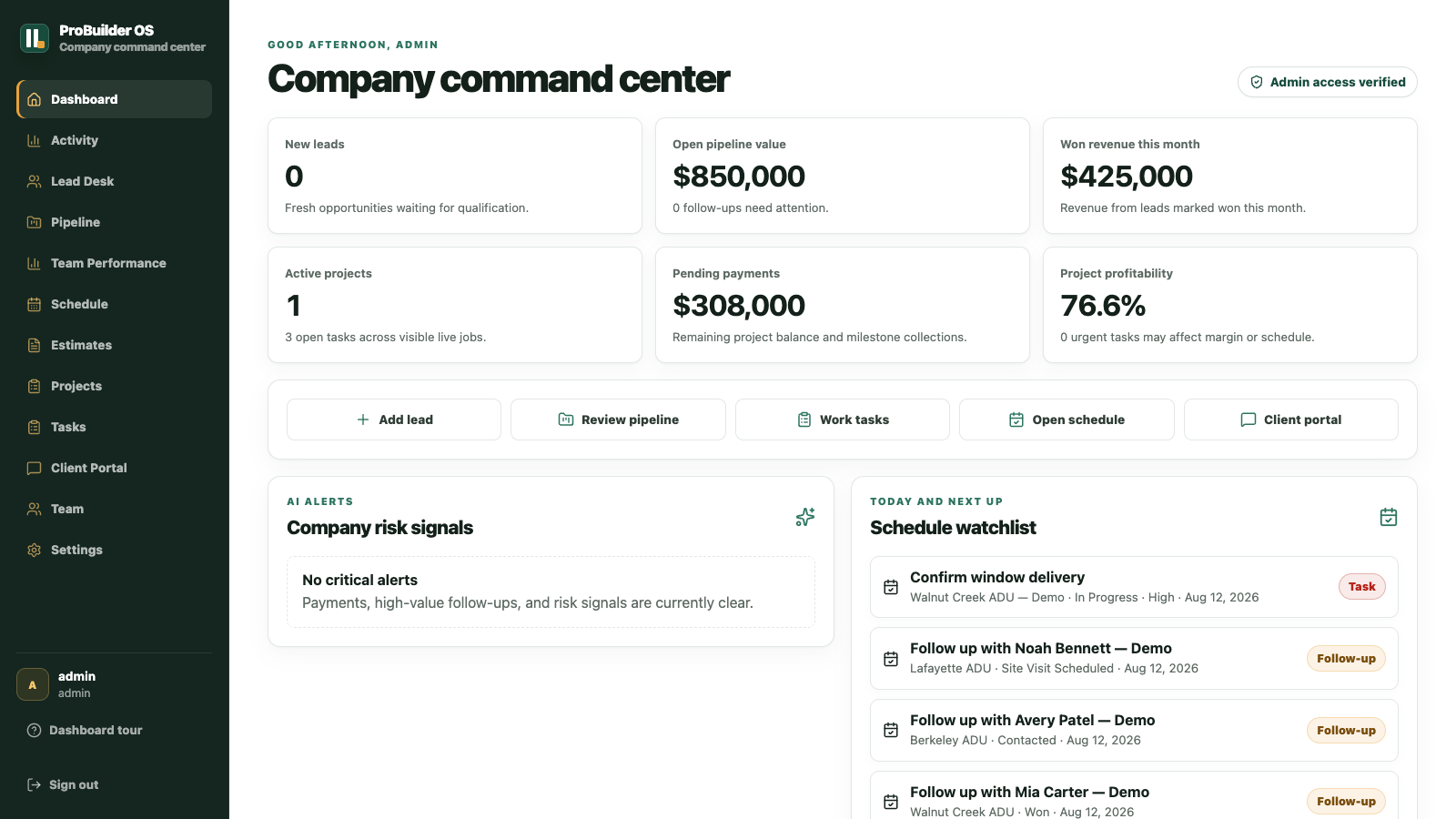
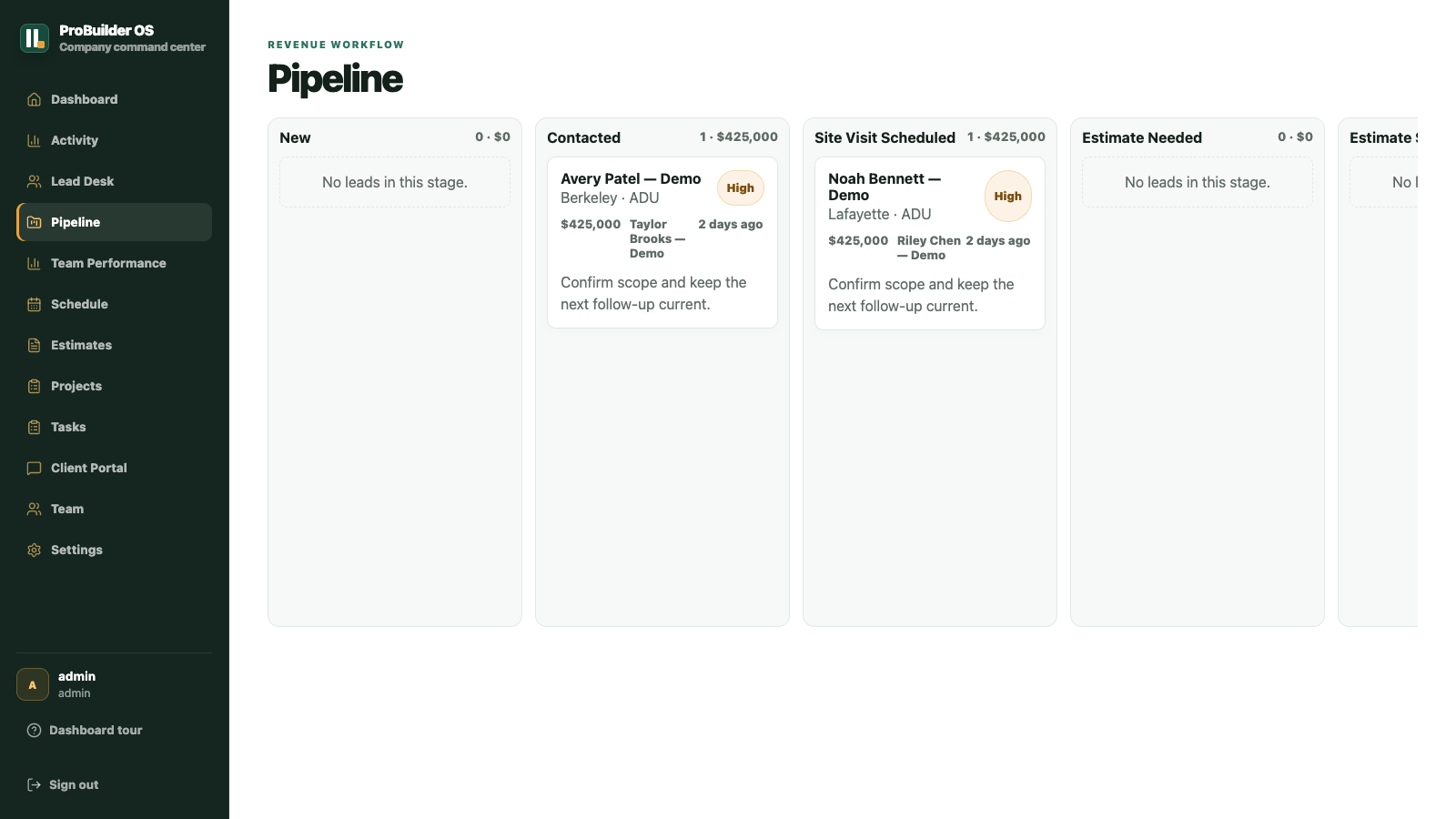
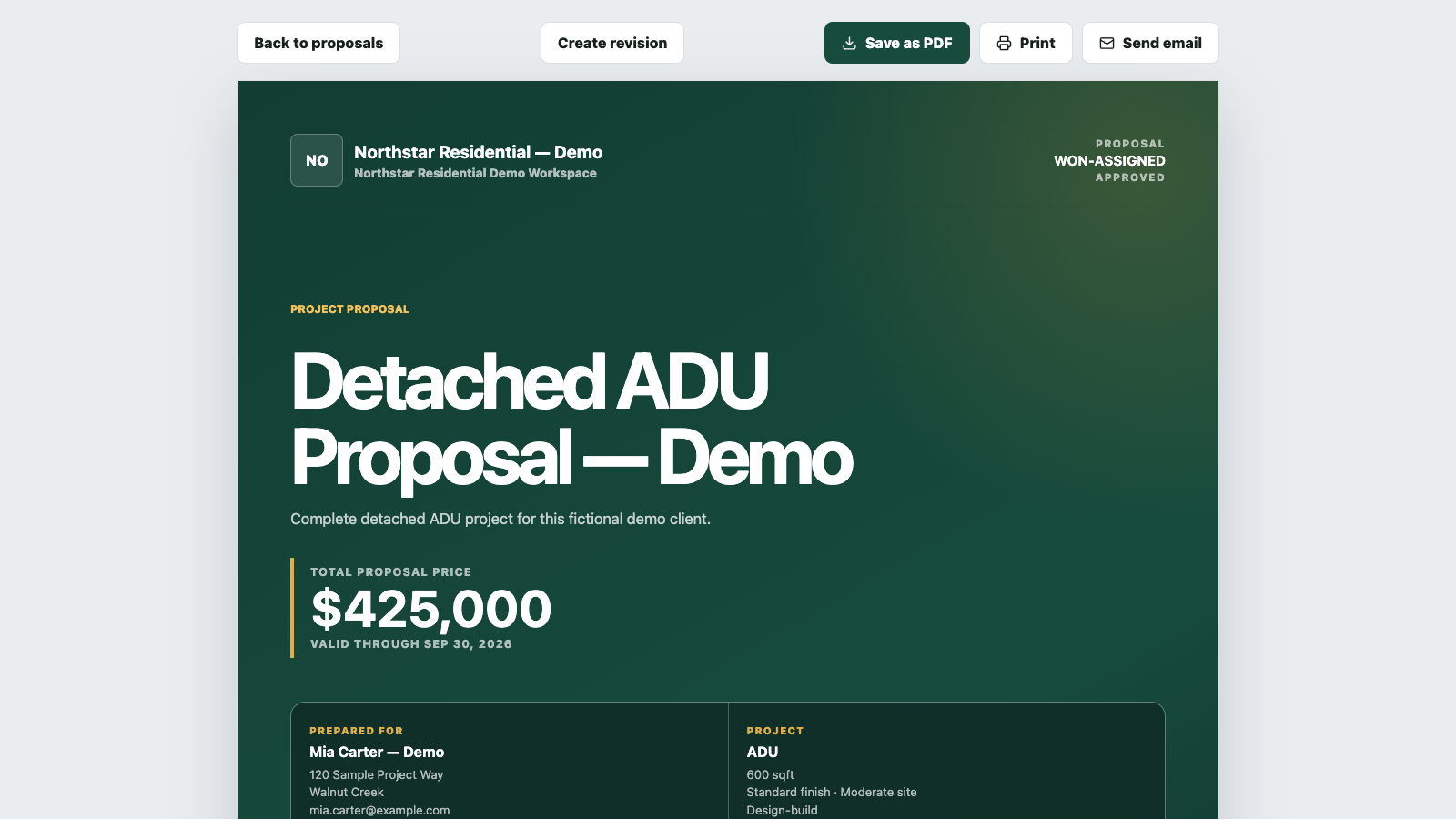
Actual interface. Isolated demo workspace.
Every record is fictional and labeled as demo content. No customer data, performance result, endorsement, or public mobile-store availability is implied.
 Open full resolution
 Open full resolution
 Open full resolution
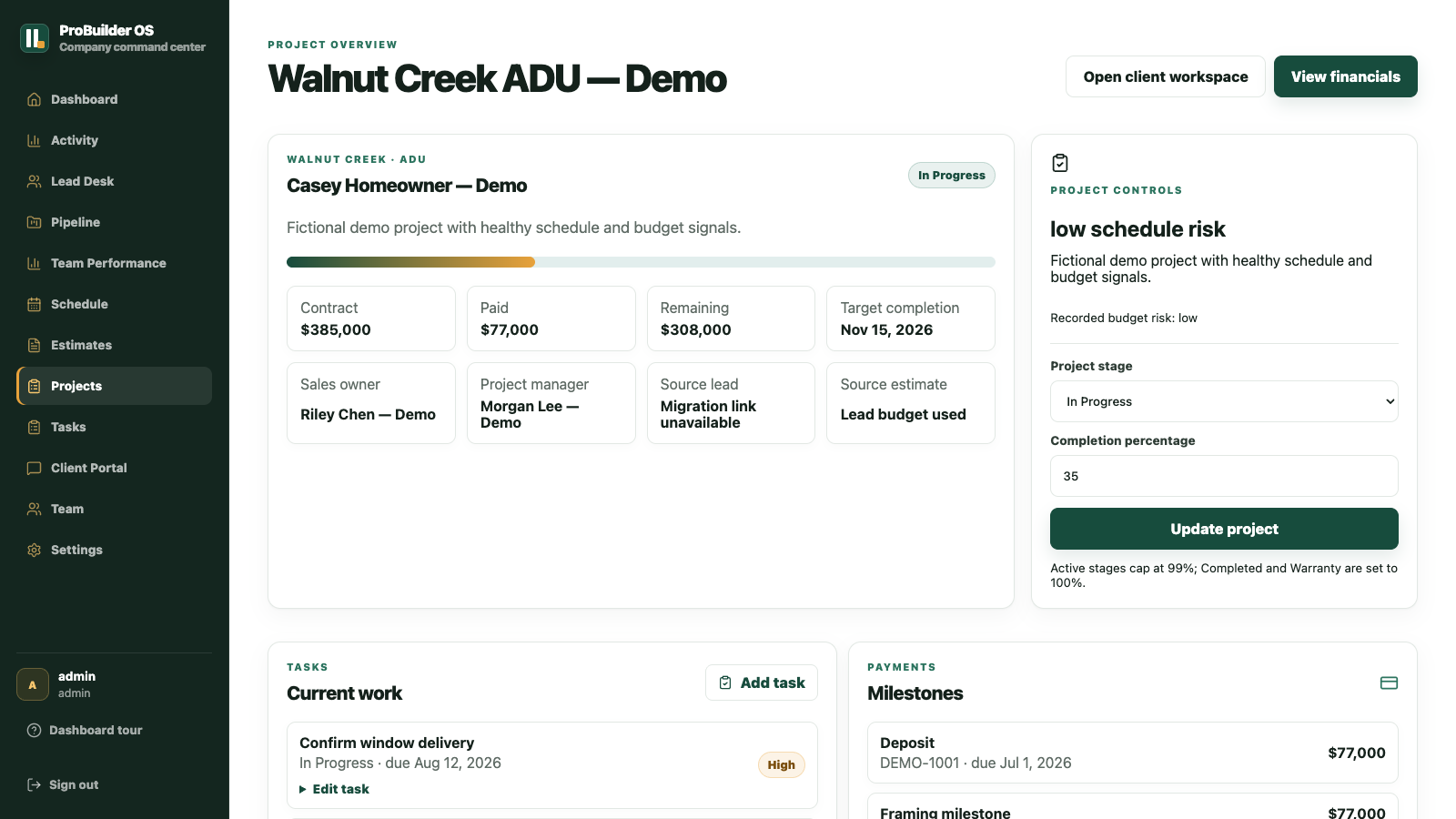 Open full resolution
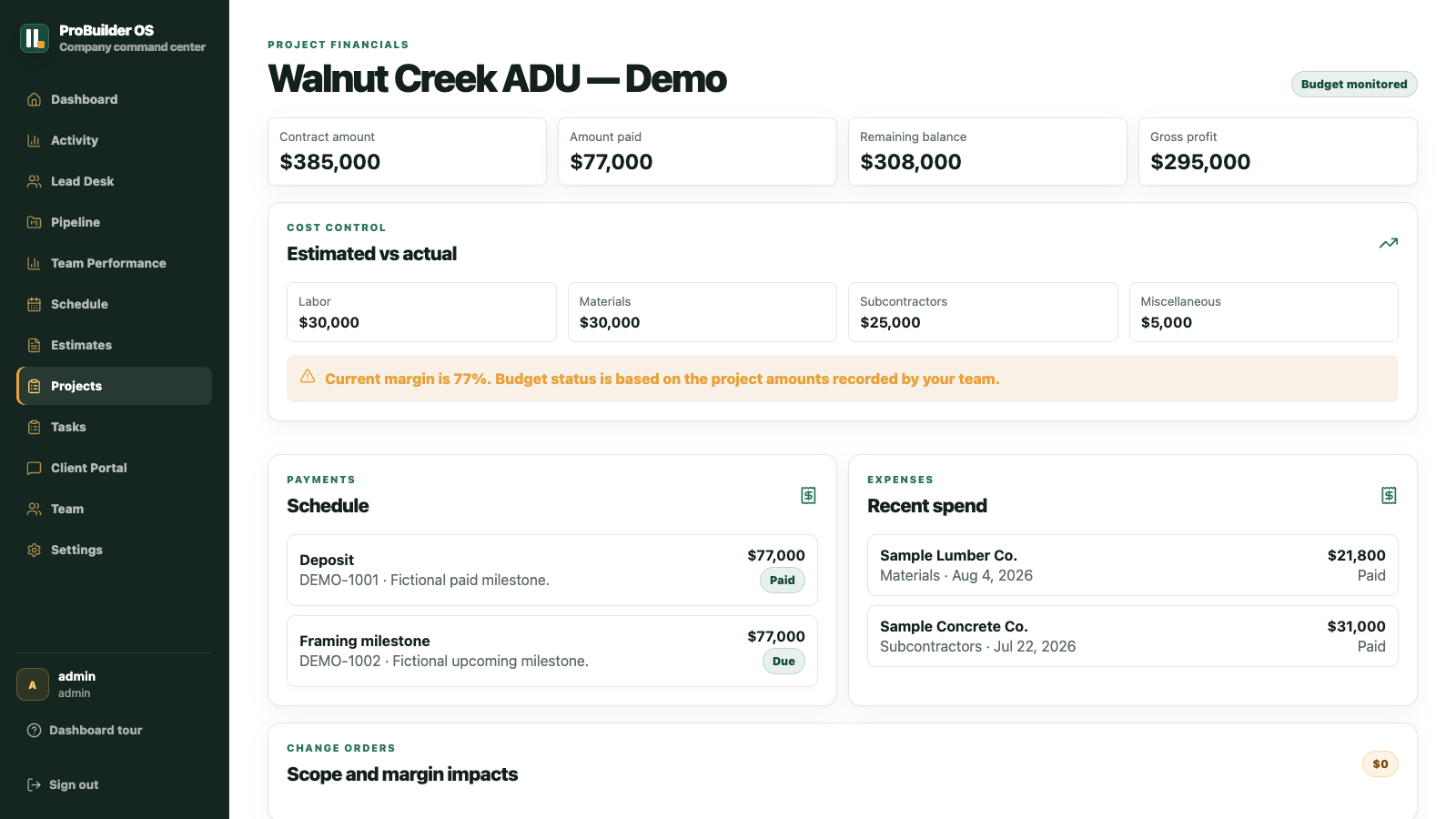 Open full resolution
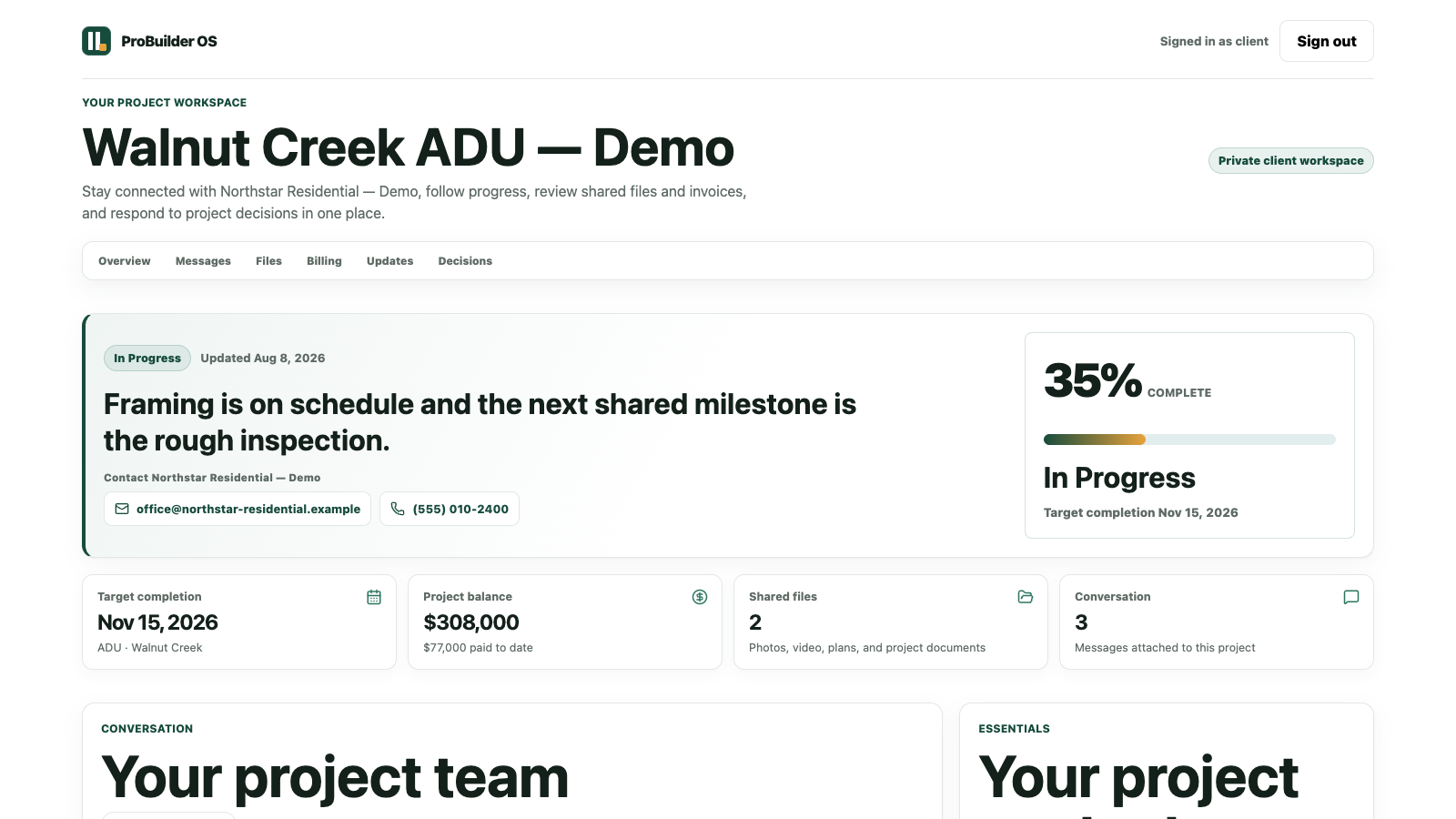 Open full resolution
Usage guidance
Accuracy is part of the brand.
- Use the exact product name “ProBuilder OS.”
- Do not manufacture rankings, ratings, customer counts, or outcome claims.
- Keep “available now” capabilities separate from roadmap items.
- Do not use app-store badges until the corresponding public listing is live.
- Do not describe demo records or interface captures as customer proof.
Need another format?
Request a source file, product walkthrough, or current fact check.
We will confirm current availability and provide privacy-safe materials for legitimate editorial, directory, association, and partner use.